Independent product experiment
Keys
One keyring for every AI agent that can spend your money, read your mail or book your travel.
Concept · Figma + codeTL;DR
People are starting to hand AI agents their UPI, their inbox and their calendar, one “Allow” screen at a time. Keys puts every agent on one keyring, where each agent holds a key with a plain limit. Anything past a key comes to you as a request with its evidence, and you can see the worst hour each agent could cause before anything goes wrong.
The Short Version
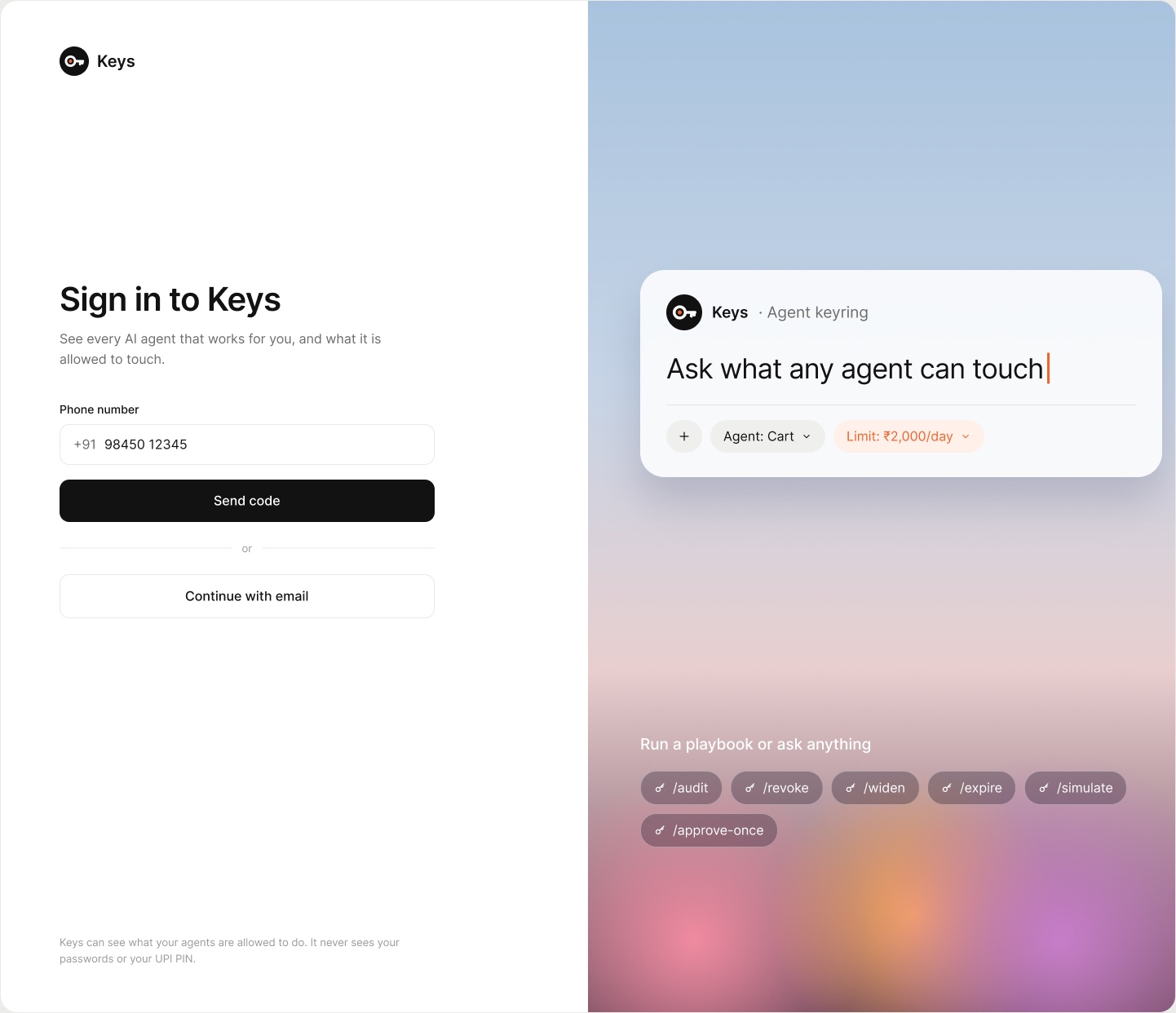
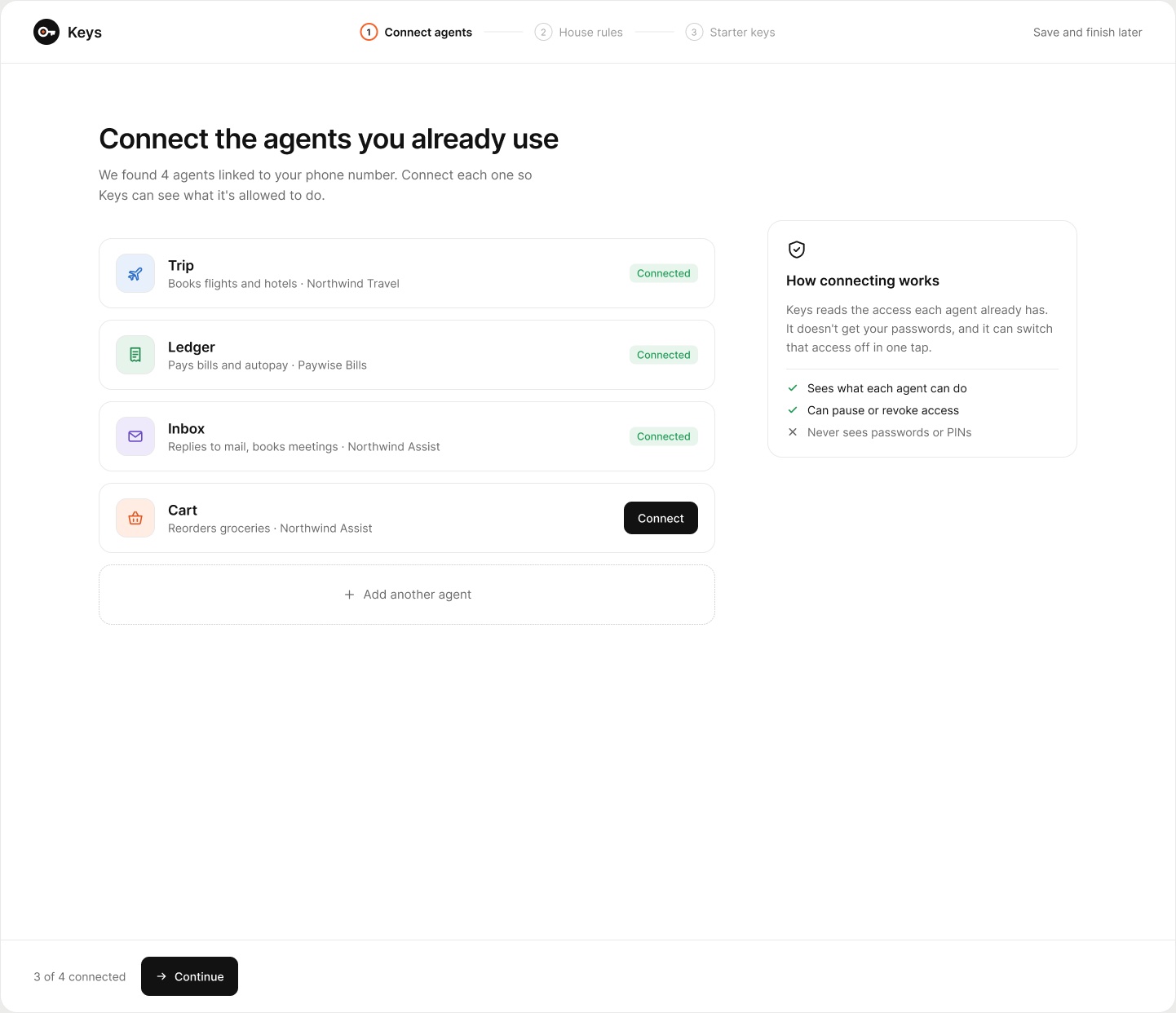
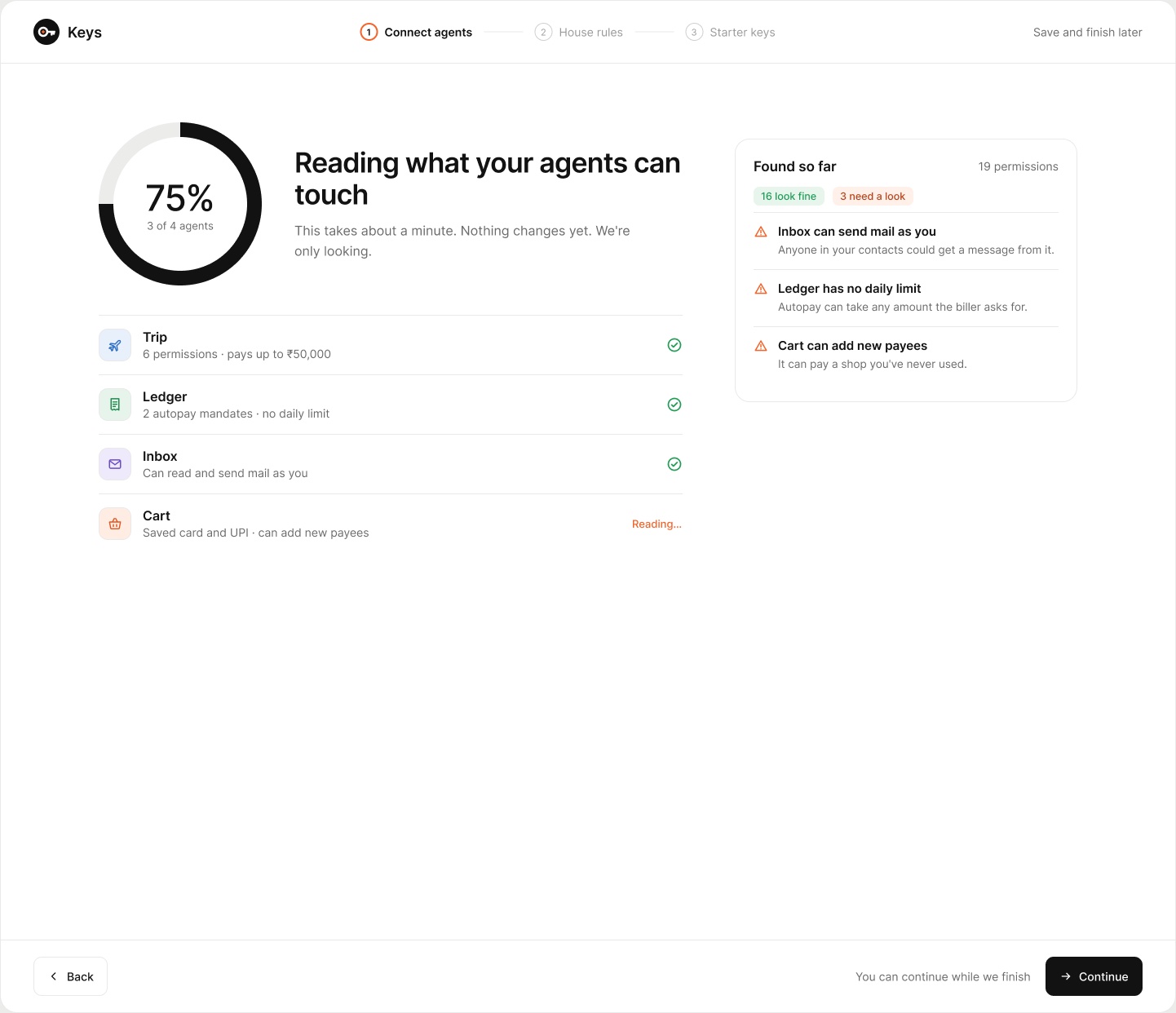
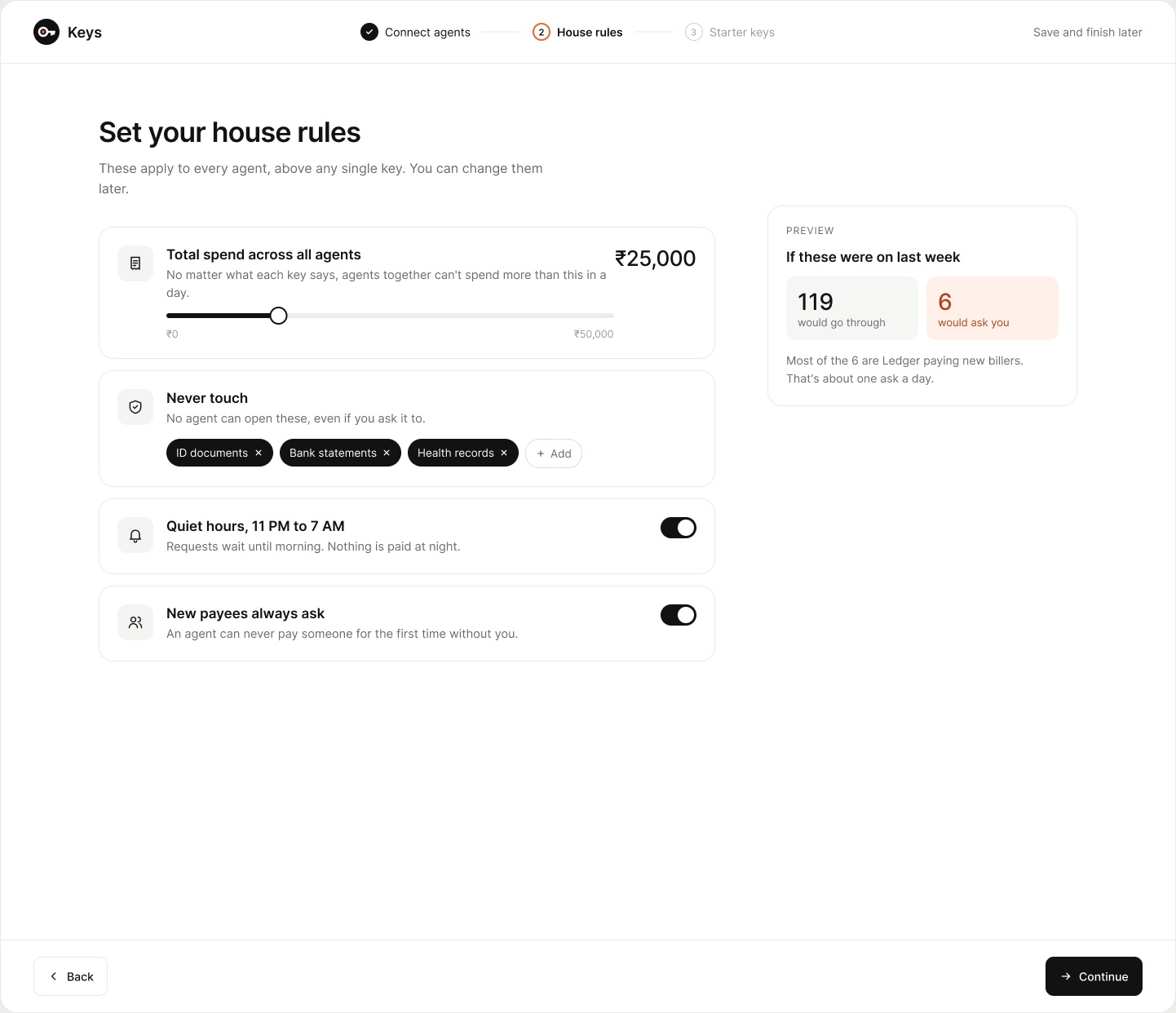
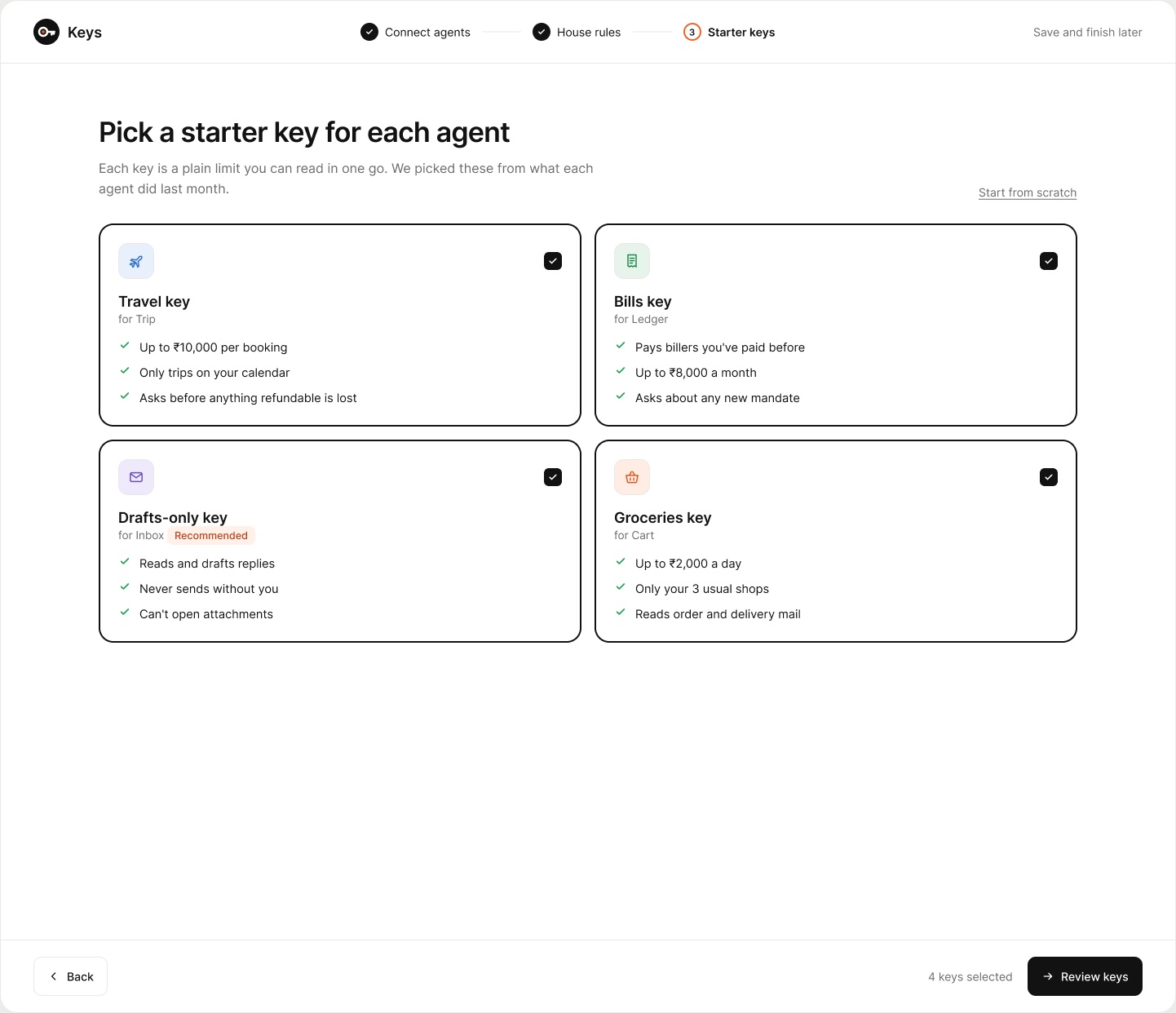
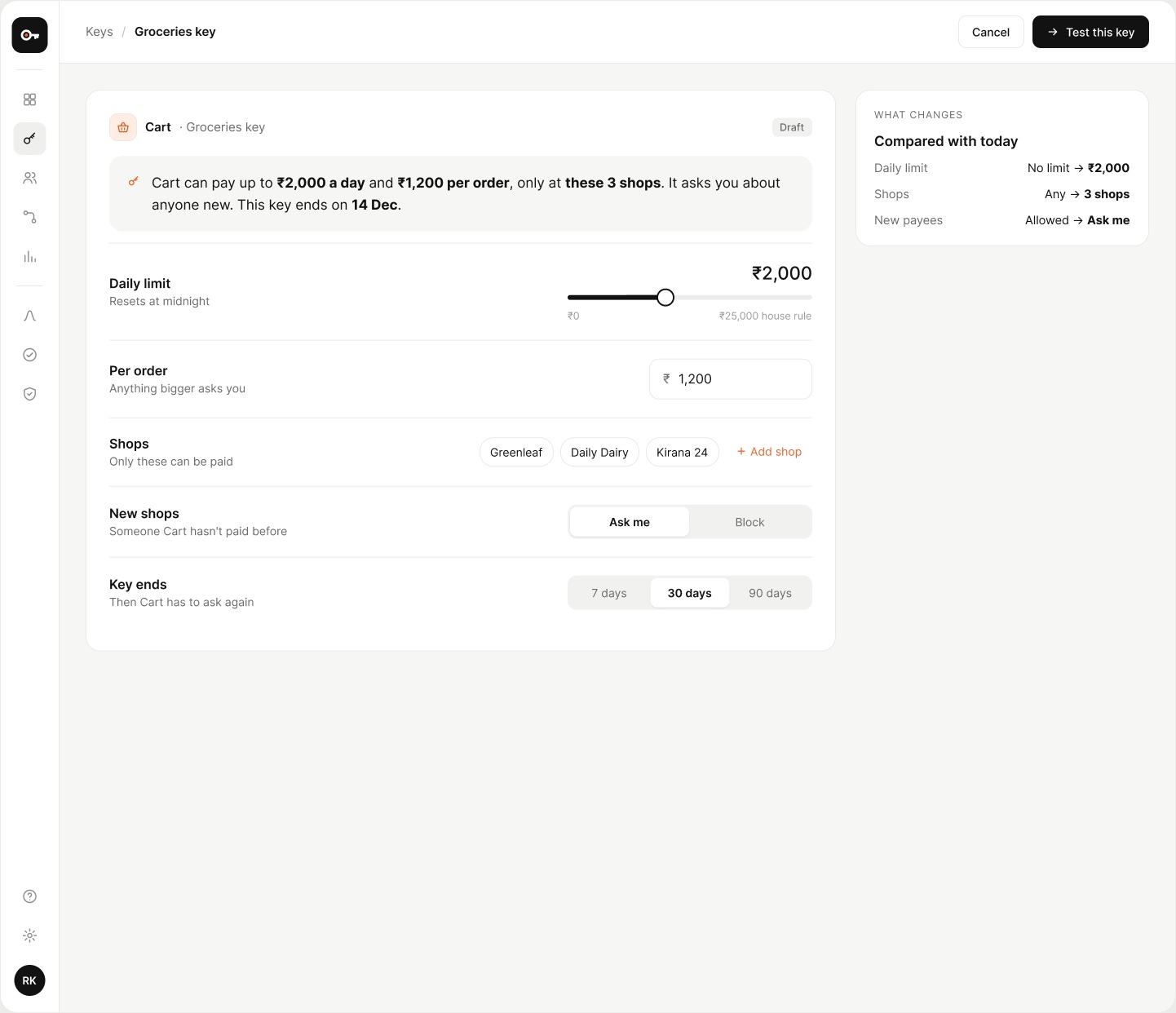
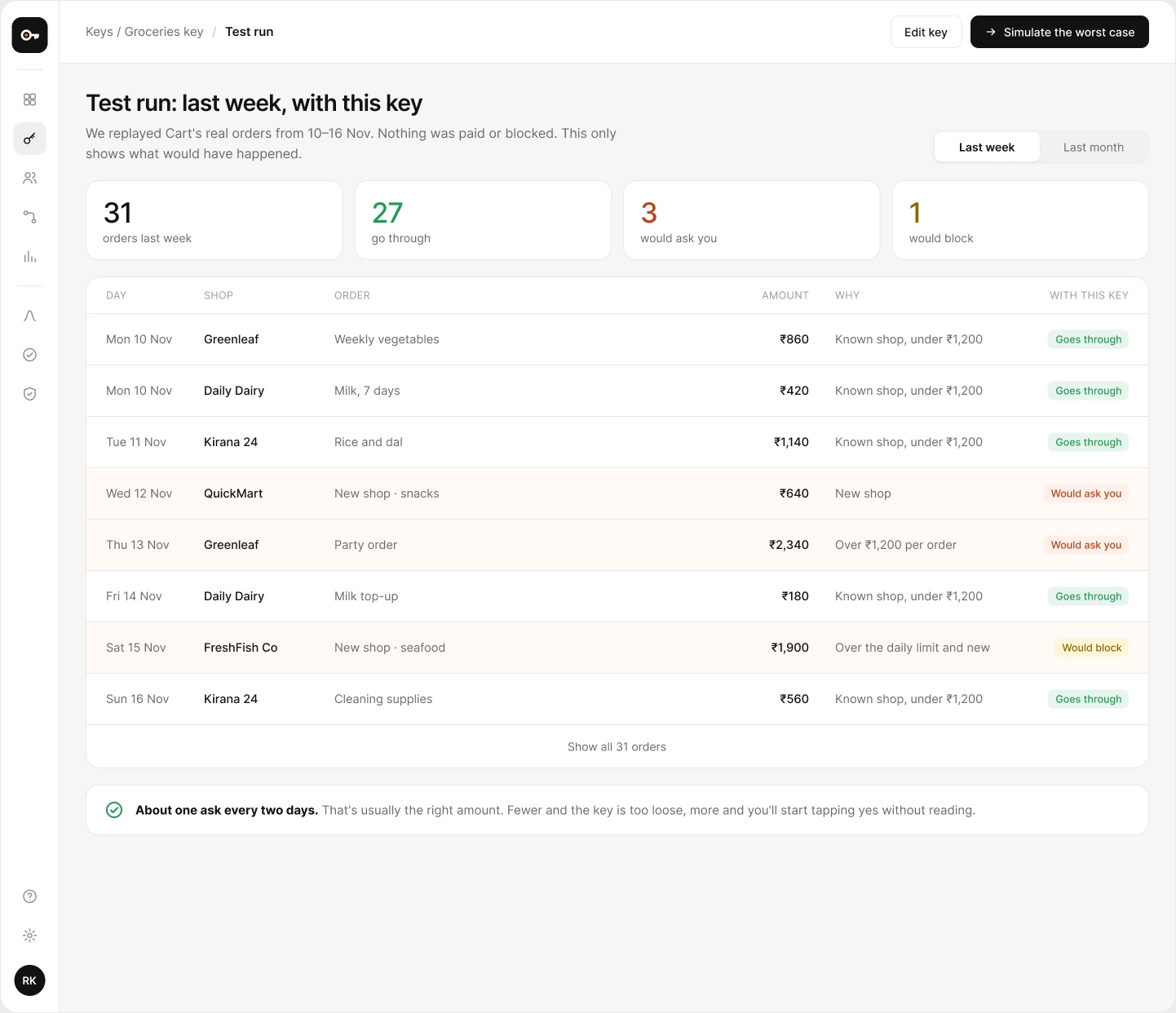
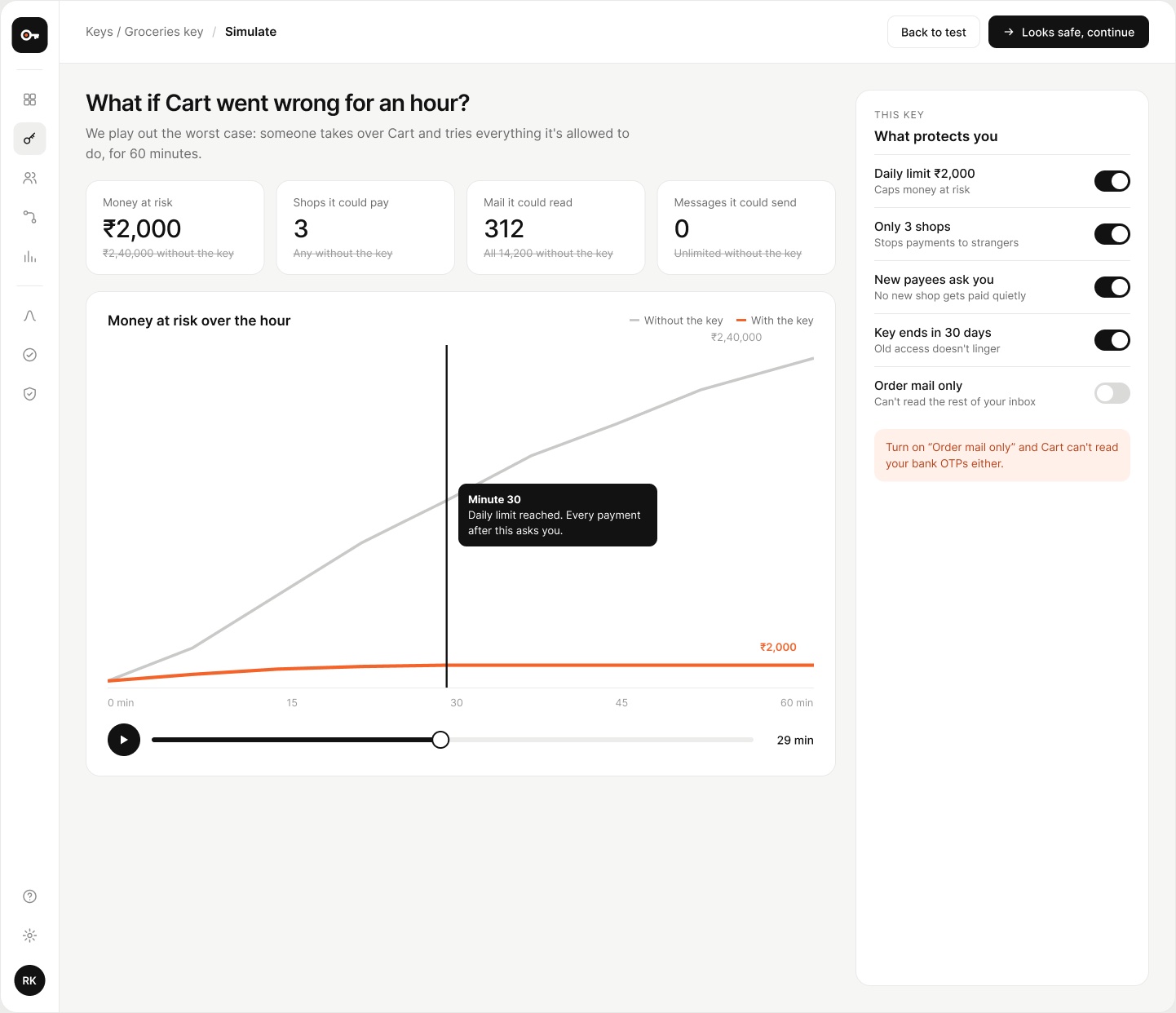
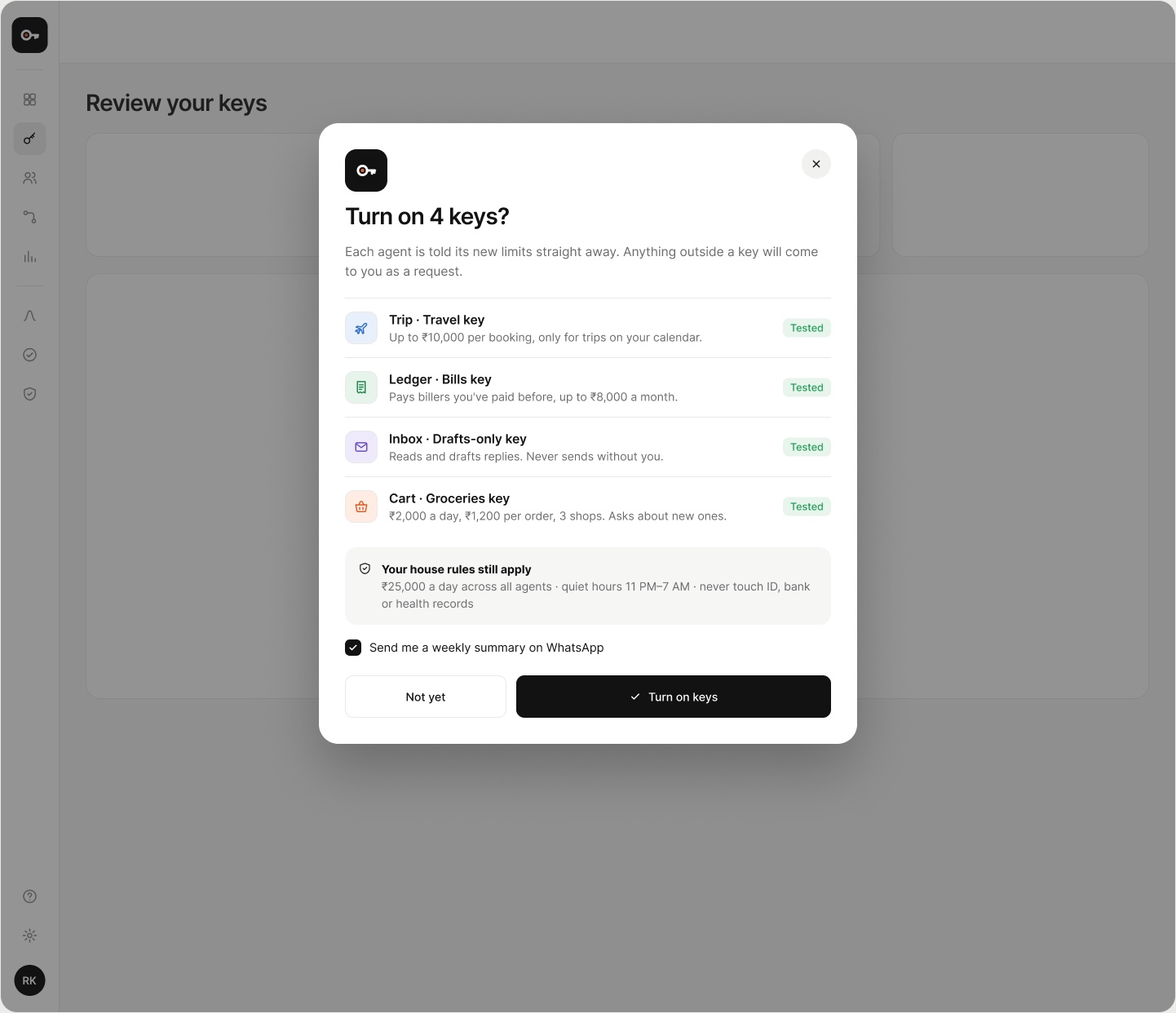
Keys is a concept for people who use several personal agents. It finds the agents linked to you, reads what each one can do, and gives each a key: a limit, the shops or people it may pay, and a date it runs out. You test a key on last week’s real activity and see its worst case before it goes live. After that, the home screen shows the whole day in one sentence.
The Mess
Every agent gets its access through its own consent screen, in its own app, with its own words for the same thing. Nobody can say in one place what their agents are allowed to touch, what they spent today, or what one of them could do if it went wrong. Taking access away means four different settings pages. So people either say no to agents completely or say yes to everything and hope.
My Part in This
- Framed the product around one question: what can each agent do with my money and my accounts, right now?
- Designed the 10-screen launch flow, from sign-in to the first published keys, in Figma.
- Designed the home screen twice: once simple, then a dense version that still reads in one sentence.
- Rebuilt the dense home screen in code, with a small rule engine behind every number on it.
Choices Were Made
- Every key is written as one plain sentence, so you can spot a wrong limit just by reading it.
- Agents can ask. Only you can widen a key, and nothing widens on a timeout.
- Colour means status and nothing else: green went through, orange asks you, yellow was blocked.
- Every key is tested on real activity and shown at its worst before it goes live.
- “Revoke all” is always on screen, in red, and takes a one-second hold so it can’t be hit by accident.
Why I made this
We hand AI agents our keys one “Allow” at a time, and there’s no single place to see them.
01 / Agents can pay now
Agents are starting to book flights, pay bills and order groceries on their own, and UPI makes that one tap away in India. The models get better every few months. The controls are still a toggle buried in each app’s settings. I wanted to design the place where all of that access lives together.
02 / Show the worst case
Most dashboards tell you what happened. Keys also tells you what could happen: if Cart went wrong for an hour, it could spend ₹2,40,000 with no key and ₹360 with today’s. With that number in front of you, picking a limit gets a lot easier.
03 / Dense, but read in one sentence
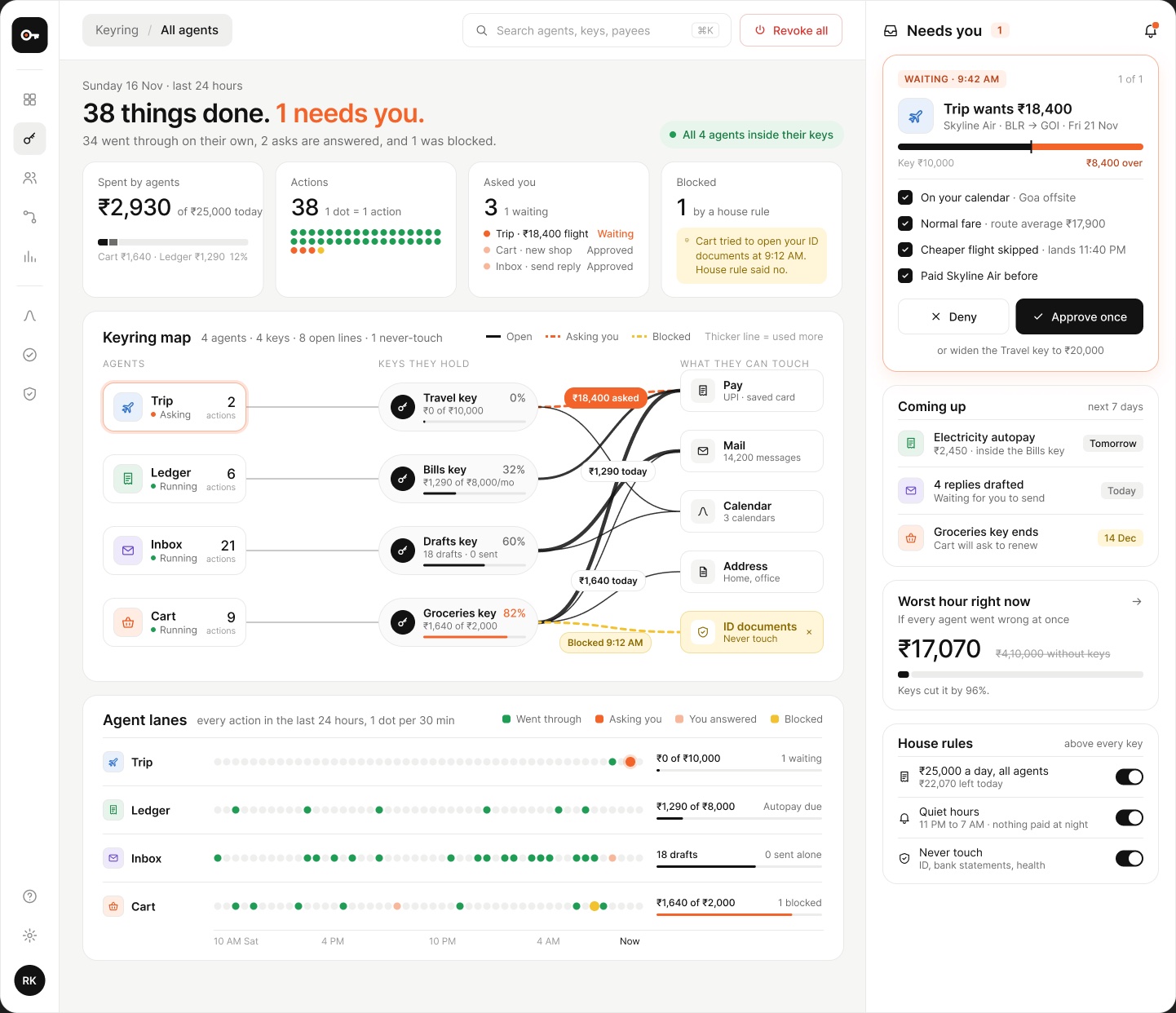
The home screen holds a lot: a map of every key, 24 hours of lanes, a live request and the house rules. It still opens with one line: “38 things done. 1 needs you.” Each section answers one question, and every number on it agrees with every other.
04 / One story, start to finish
Riya, four agents and the same 24 hours run through every screen. 34 actions went through, 3 asked her, 1 was blocked by a house rule, and the ₹18,400 flight is still waiting. The live screen below runs on those exact events.
Live screen · Home / Keyring
What did my agents do while I slept?
This is the dense home screen, rebuilt in code from the Figma file. A small rule engine decides every action from Saturday 10 AM to now, so the headline, the cards, the map, the lanes and the request all change together. Replay the day, trace a key, drag a limit, or break an agent on purpose and watch the key hold.
- 1 Replay the day
- 2 Hover or click anything on the map
- 3 Drag a key’s meter, or the handle on Trip’s request
- 4 Hold an agent, or “Hold to break”
- 5 Approve, deny, or hold to revoke all
- 6 Press ⌘K
Sunday 16 Nov · last 24 hours
38 things done. 1 needs you.
34 went through on their own, 2 asks are answered, and 1 was blocked.
Spent by agents
Ledger ₹1,290 · Cart ₹1,64012%
Actions
Asked you
- Trip · ₹18,400 flightWaiting
- Inbox · send a replyApproved
- Cart · ₹640 new shopApproved
Blocked
Keyring map
4 agents · 4 keys · 8 open linesAgent lanes
- One sentence firstThe headline is written by the engine. It always says how much happened and whether anything needs you.
- Agents, keys, things they touchThe map reads left to right. A thicker line means a key is used more, an orange dashed line is asking you, a yellow one was blocked.
- Drag a limitDrag any key’s meter and every past action is judged again: dots change colour, the request flips, and the worst hour moves.
- The worst hourHold to break an agent and play out an hour of everything it’s allowed to do. The counter stops at the key’s limit, while the figure without keys keeps climbing.
- Asks come with evidenceTrip’s ₹18,400 request shows how far past its key it goes and the four checks it ran. Approve once leaves the key as it is.
- Stop everythingHold to revoke all, and every line pulls back into its agent. You get ten seconds to undo.
The launch flow
9 screens from the Figma file · Desktop 1440