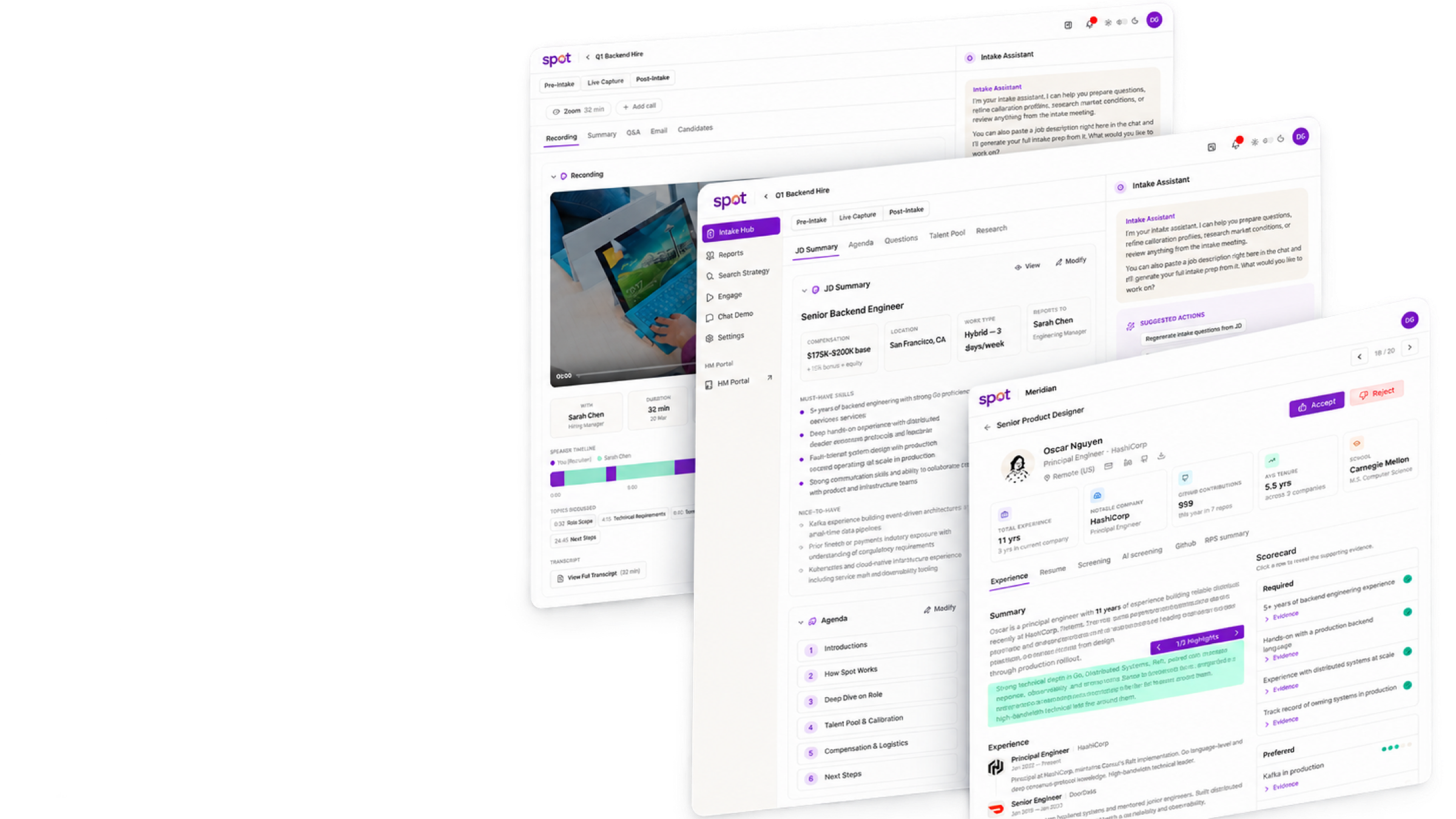
Layered SPOT intake and AI-assisted recruiting interfaces

Case study

OS for Recruiters

A flexible recruiting workspace with AI inside the work

at SeekOut ↗︎

TL;DR

SPOT v1 assumed recruiting happens in a fixed order, and real searches kept breaking that order. I helped turn it into one workspace per job, where AI does the legwork and recruiters make the calls. It shipped as SPOT v2.

Choose your depth

The problem, my contribution, outcomes, and strongest screens.

My role

Product design · Product strategy · AI system design

Product focus

A step-by-step recruiting tool rebuilt as a chat-first workspace around each job.

The Mess

SPOT v1

v1 moved a search through fixed stages. When requirements changed or hiring-manager feedback came late, recruiters finished the work in Claude, personal notes and Excel, where SPOT and its AI couldn’t see it.

The Short Version

SPOT v2

In v2, every job opens as its own workspace, like a project in a code editor. Recruiters work in any order, chat sits beside the work, and anything that reaches a candidate waits for their approval.

My Part in This

  1. Moved SPOT from a fixed stage flow to a chat-first workspace.
  2. Gave each job its own workspace, with its own artifacts, chat history and AI context.
  3. Designed sourcing strategies that lock once they run and attach a reason to every score.

What Got Better

  1. Recruiters can change direction mid-search and still see why earlier candidates were picked.
  2. The AI always reads the latest brief, strategy and candidate list.
  3. Anything the AI sends to a candidate or hiring manager waits for a recruiter’s approval.

Impact

What Actually Moved

For the Business

Gave product and engineering one shared model for v2, covering chat, artifacts, candidate work, reports and audit history.

For the Humans

Recruiters can change course, see what the AI plans to do, and pick a search up where they left it.

For the Spreadsheet

Targets set in the v2 brief: outreach within 2 hours of intake, 80% recruiter approval of candidates, and a 20% reply rate.

Inside the workspace

One job, five places to work

Pick an area. They all read from and write to the same job.

Intake & Evaluate flow

Start with what the recruiter has

Paste a job description and SPOT preps the intake call. Capture the call live or add the recording later.

  1. Job description in, call prep out
  2. Capture the call live or from a recording
  3. Keep the summary and follow-up with the job

01 / Prep

Prep the call in one place

SPOT turns the job description into notes and questions for the first call with the hiring manager.

Intake & Evaluate · 01
Start from a pasted, uploaded or linked job description.
Intake & Evaluate · 02
The prep doc: summary, agenda, questions, market notes, sample profiles.

02 / Capture

Live call or recording

Record the call as it happens or upload it later. Both end up in the same intake.

Intake & Evaluate · 03
Live Capture ticks off questions as they get answered.
Intake & Evaluate · 04
Bring in an older call by Zoom ID or transcript.
Intake & Evaluate · 05
The recording action unlocks once SPOT has a valid meeting.

03 / Process

Show the work while it runs

While SPOT works through the call, the recruiter can see what is done and what is still running.

Intake & Evaluate · 06
Each step shows as it runs: download, transcript, summary, follow-up.
Intake & Evaluate · 07
Last step: a recap email, drafted for review.
Intake & Evaluate · 08
Recording, summary, question log and follow-up in one place.

Intake & Evaluate flow

Intake & Evaluate flow

Start with what the recruiter has

Paste a job description and SPOT preps the intake call. Capture the call live or add the recording later.

  1. Job description in, call prep out
  2. Capture the call live or from a recording
  3. Keep the summary and follow-up with the job

01 / Prep

Prep the call in one place

SPOT turns the job description into notes and questions for the first call with the hiring manager.

Intake & Evaluate · 01
Start from a pasted, uploaded or linked job description.
Intake & Evaluate · 02
The prep doc: summary, agenda, questions, market notes, sample profiles.

02 / Capture

Live call or recording

Record the call as it happens or upload it later. Both end up in the same intake.

Intake & Evaluate · 03
Live Capture ticks off questions as they get answered.
Intake & Evaluate · 04
Bring in an older call by Zoom ID or transcript.
Intake & Evaluate · 05
The recording action unlocks once SPOT has a valid meeting.

03 / Process

Show the work while it runs

While SPOT works through the call, the recruiter can see what is done and what is still running.

Intake & Evaluate · 06
Each step shows as it runs: download, transcript, summary, follow-up.
Intake & Evaluate · 07
Last step: a recap email, drafted for review.
Intake & Evaluate · 08
Recording, summary, question log and follow-up in one place.

Sourcing flow

Sourcing flow

Turn the brief into a search

A strategy is one lane of a search, with its own rubric and indexes. Every score shows its reasoning.

  1. Generate lanes from the brief
  2. Calibrate on real profiles
  3. Run it, check it, clone it when things change

01 / Start

Make generation visible

The recruiter starts the search on purpose and can watch each part come together.

Sourcing · 01
One click builds the scorecard, strategies and candidate set.
Sourcing · 02
Progress is split by scorecard, strategy and evaluation.

02 / Inspect

Check the search logic

The recruiter can check what the search assumed before acting on what it found.

Sourcing · 03
Each strategy shows the market it found.
Sourcing · 04
Scorecard beside the resume, with evidence for each requirement.

03 / Tune

Choose how deep to evaluate

Scoring takes time, so the recruiter decides how deep to go before it starts.

Sourcing · 05
Recruiters pick how many candidates to evaluate per strategy.
Sourcing · 06
Criteria, signals, screening status and tags in one comparison table.

04 / Hand off

Set up the view for the next reviewer

Columns and tags are set once, so the next reviewer reads the list the same way.

Sourcing · 07
Recruiters choose which rubric criteria show up as columns.
Sourcing · 08
Shared tags mean the same thing to the whole team.

Market & Views flow

Market & Views flow

Research the market, then brief the hiring manager

Market and company research stay inside the job. Views turns live data into reports the recruiter chooses to share.

  1. Filter the candidate set for review
  2. Build reports from live job data
  3. Research pay, talent and the company
Market & Views · 01
Filter candidates by owner, strategy, stage, contact status or tag.
Market & Views · 02
Pick which required and preferred criteria appear in the table.
Market & Views · 03
Intake notes, weekly updates and timelines, ready to present or share.
Market & Views · 04
Talent-pool size, locations, calibration profiles and pay research.
Market & Views · 05
Company news, hiring-manager context and pay data for the intake.

Inbox & Calendar flow

Inbox & Calendar flow

Keep the conversation in Engage

Inbox, calendar and pipeline share one candidate record, so a reply can become a screening in place.

  1. Threads with stage and sequence in view
  2. Outreach from saved sender settings
  3. Book screenings from Outlook availability
Inbox & Calendar · 01
A reply, with the candidate’s stage, sequence, labels and full history.
Inbox & Calendar · 02
Active sequences show in the thread before anyone replies.
Inbox & Calendar · 03
Filter threads by status, stage, label or name.
Inbox & Calendar · 04
Screenings, intake calls and Outlook events on one calendar.
Inbox & Calendar · 05
Pick a candidate and a free slot, then send the invite.

Presentation flow

Presentation flow

A focused review space for hiring managers

Hiring managers see what is waiting on them, with the recruiter’s reasoning and screening evidence on each candidate.

  1. See which jobs need a decision
  2. Review candidates and shared views
  3. Approve or reject, with notes
Presentation · 01
Open jobs, and which ones are waiting on a decision.
Presentation · 02
One job: candidate groups, review status, the brief and recent activity.
Presentation · 03
Recording, timestamped topics and scorecard before deciding.
Presentation · 04
AI screening, broken down question by question with the transcript.
Presentation · 05
GitHub activity, languages and repos next to the scorecard.

Continue reading

There Is More. Naturally.